Customer Deposit Agings
This module combines two types of Deposit Aging reports: A/R Aging Report (Customer Deposits) and A/R Aging Report (Deposits As Of). The former works similarly to the A/R Aging Report (Standard) except that it will print a list of open Deposits in the system. The total of this report should match the value in your Customer Deposit G/L Liability Account. If a zero-balance Deposit appears on a Customer’s account, it will display on this report. When the zero balance is purged from the account, it will no longer appear on this report. The A/R Aging Report (Customer Deposits) report allows you to print a listing of Deposits “As Of” a prior date rather than only seeing current deposits via the first report in this module. Both reports will export to Excel using either Detail or Summary. When you enter this report module, a A/R Deposit Aging Report (Customer Deposits/As Of) screen will appear as follows:
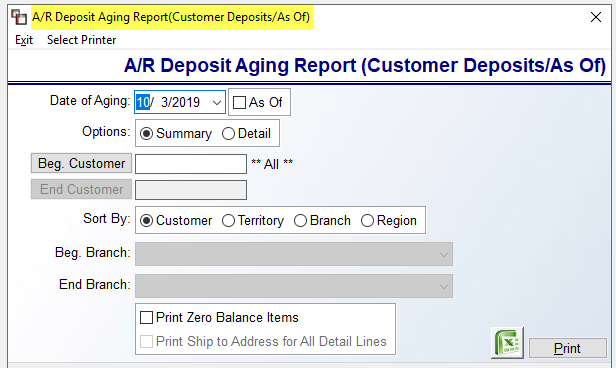
The default report is the Customer Deposit Aging. To switch reports, you can click the As Of checkbox. The options will stay the same. The Print Ship to Address for All Detail Lines option is enabled when Detail is selected in the Options box.