Highlight and double-click on an Item to View Detail and reprint, if applicable. This is the same option that is available in the Customer Status Inquiry module (explained above). Click Exit or hit Esc to return to the Accounts Receivable menu.
Invoice History Inquiry
Invoice History Inquiry This module keeps a record by the Customer of every Invoice or Credit Memo ever processed in the system. Data moves to this module after original invoicing and the clearing of the Sales Journal. When you enter this module, after making a Customer selection, the system will prompt a Customer Invoice History screen as follows:
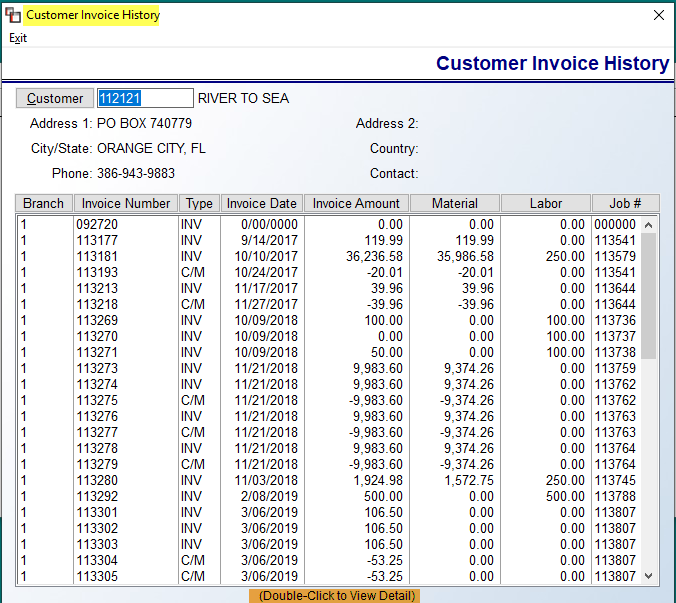
Highlight and double-click on an Item to View Detail and reprint, if applicable. This is the same option that is available in the Customer Status Inquiry module (explained above). Click Exit or hit Esc to return to the Accounts Receivable menu.
Highlight and double-click on an Item to View Detail and reprint, if applicable. This is the same option that is available in the Customer Status Inquiry module (explained above). Click Exit or hit Esc to return to the Accounts Receivable menu.