At the Inventory Transfer Overbill Method (A)mount / (C)ost % field, type an “A” or a “C” in this field to then access the next field. Type the applicable Amount or Percentage value in the Overbill Value field. With this setup complete, you will then see this Overbill field in the Inventory Transfer screen. For those not interested in using this feature, you should leave these fields blank to skip this option.
Inventroy Transfer Overbill Method in Branch Control Maintenance
Inventroy Transfer Overbill Method in Branch Control Maintenance There are two controls in the Branch Control Maintenance module that allow you to enable and setup for adding an Overbill value to Job Cost to offset the cost of transferring material to various Branches from the current Branch. This option lets you determine whether the value will be a flat Amount or a Percentage of Cost. They appear as follows:
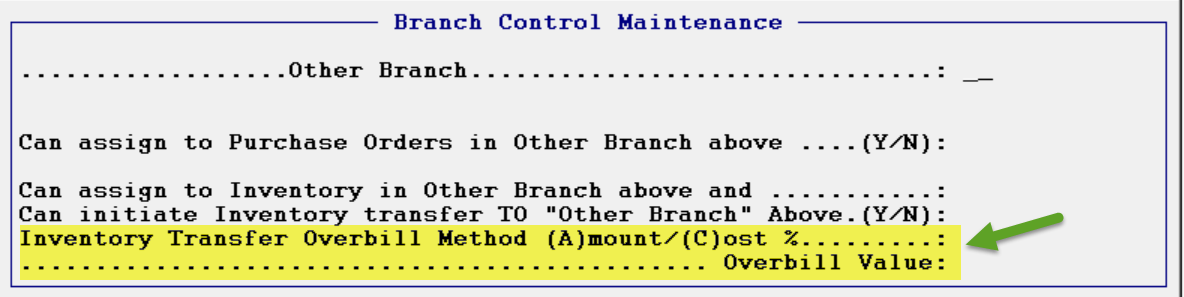
At the Inventory Transfer Overbill Method (A)mount / (C)ost % field, type an “A” or a “C” in this field to then access the next field. Type the applicable Amount or Percentage value in the Overbill Value field. With this setup complete, you will then see this Overbill field in the Inventory Transfer screen. For those not interested in using this feature, you should leave these fields blank to skip this option.
At the Inventory Transfer Overbill Method (A)mount / (C)ost % field, type an “A” or a “C” in this field to then access the next field. Type the applicable Amount or Percentage value in the Overbill Value field. With this setup complete, you will then see this Overbill field in the Inventory Transfer screen. For those not interested in using this feature, you should leave these fields blank to skip this option.