Date Display in BMS in US Format
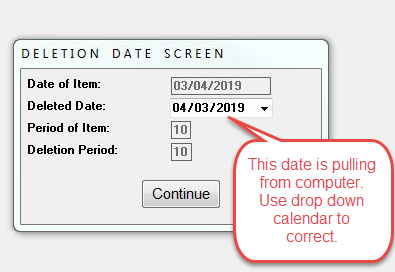
Date Display in BMS in US Format Because the US Date Format of "mm/dd/yyyy"differs from Canada (dd/mm/yyyy or yyyy/dd/mm) and most other parts of the world, it is important to note that there are a couple of places within BMS that pull from a User's computer Date/Time settings and could therefore become confusing, especially when viewed in the same screen, as in the case of the A/P Deletion Date Screen. In this screen, the Date of Item field is based on the record date, whereas the "live" Deleted Date field is based off the User's computer Date/Time settings. Customers who wish to have the same date format can adjust their Date/Time settings on their computer as needed. Users can also use the drop down calendar selector to revert to the US format and prevent confusion.