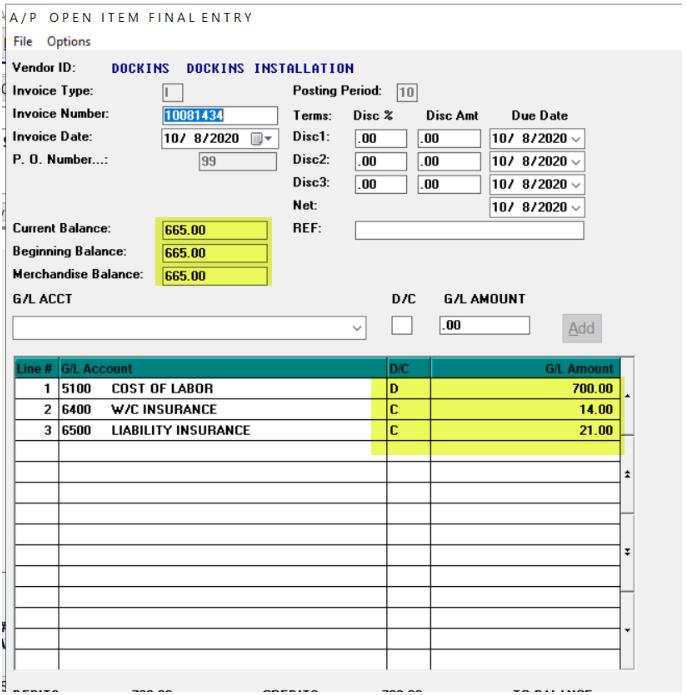
If, for whatever reason, you are processing your Installer Payables, but don't accept the option to add the A/P Open Item for future payment, you will need to do so manually, making sure the entries include any/all deductions and reflects the proper "taxable amount" for 1099 purposes. Below is an example of what that screen should look like:
Installer Updated as Paid but No AP Open Item Added
Installer Updated as Paid but No AP Open Item Added What to do when you Update an Installer as Paid but have to add A/P Open Item manually:
If, for whatever reason, you are processing your Installer Payables, but don't accept the option to add the A/P Open Item for future payment, you will need to do so manually, making sure the entries include any/all deductions and reflects the proper "taxable amount" for 1099 purposes. Below is an example of what that screen should look like:
If, for whatever reason, you are processing your Installer Payables, but don't accept the option to add the A/P Open Item for future payment, you will need to do so manually, making sure the entries include any/all deductions and reflects the proper "taxable amount" for 1099 purposes. Below is an example of what that screen should look like: