How to Generate a List of Canceled Jobs via Job Status
You can export a listing of jobs that have been canceled in BMS provided you have created a Job Status for "Canceled" or "Cancelled" (American spelling is one "l") and the Job Status is being consistently and accurately used.
If that is the case with the Job Status, you may follow these steps:
1. Navigate to the Sales Processing main screen
2. Select Both Open and Closed Jobs and click Build
If that is the case with the Job Status, you may follow these steps:
1. Navigate to the Sales Processing main screen
2. Select Both Open and Closed Jobs and click Build
3. We recommend to choose Excel or PDF as the printer prior to running the report
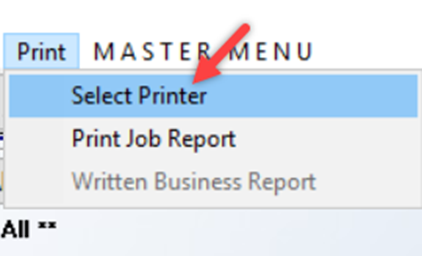
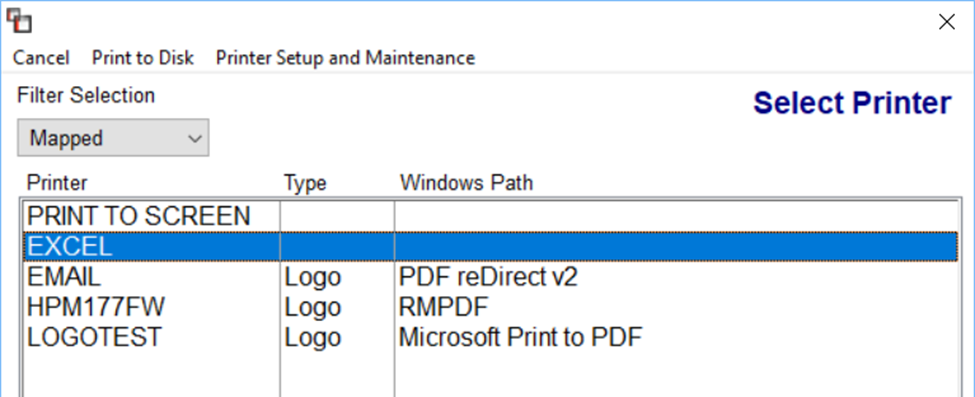
4. Click Print Job Report at top of the screen
5. The file will show you a column for Job Status, which you can then sort easily in Excel to view canceled jobs
5. The file will show you a column for Job Status, which you can then sort easily in Excel to view canceled jobs
Please note: you can also filter by Job Status for Canceled Jobs before printing to Excel to only see canceled jobs